7 Compromised WordPress Plugins: What Site Owners Should Check

If you use one of the seven compromised WordPress plugins listed below, deactivate it and have your site checked. The attackers could create a new administrator account and install hidden files. The plugins could still look clean, and the website could keep working as usual.
Wordfence reported the incident on August 8, 2026. WordPress.org has stopped downloads of the affected plugins while its team and the developer investigate.
The seven affected plugins
- Element Pack Addons for Elementor
- Prime Slider Addons for Elementor
- Pixel Gallery
- Ultimate Post Kit
- Ultimate Store Kit
- Live Copy Paste for Elementor
- Smart Admin Assistant
You can check the list under Plugins in your WordPress dashboard. Search for each name and include inactive plugins in your review.
Finding one of these plugins does not prove that someone accessed your site. It means the site needs a proper check.
How the attack reached WordPress sites
The plugins displayed news and special offers from the developer inside the WordPress dashboard. They pulled the content for those banners from an outside server.
The attackers changed the information stored on that server. When an administrator opened the WordPress dashboard, a banner could run a harmful program in the browser.
The program ran with the permissions of the administrator who had signed in. It could create another account with full access and install a fake plugin. It could also add files that gave the attacker a way back into the site. In some cases, the attacker could hide the new account from the normal user list.
The attack did not change the plugin files stored on WordPress.org. A file comparison could show a clean result even if the attacker had already gained access.
Steps to take if you use these compromised WordPress plugins
- Deactivate the plugin. Keep it off until WordPress.org and BdThemes confirm that you can use it again.
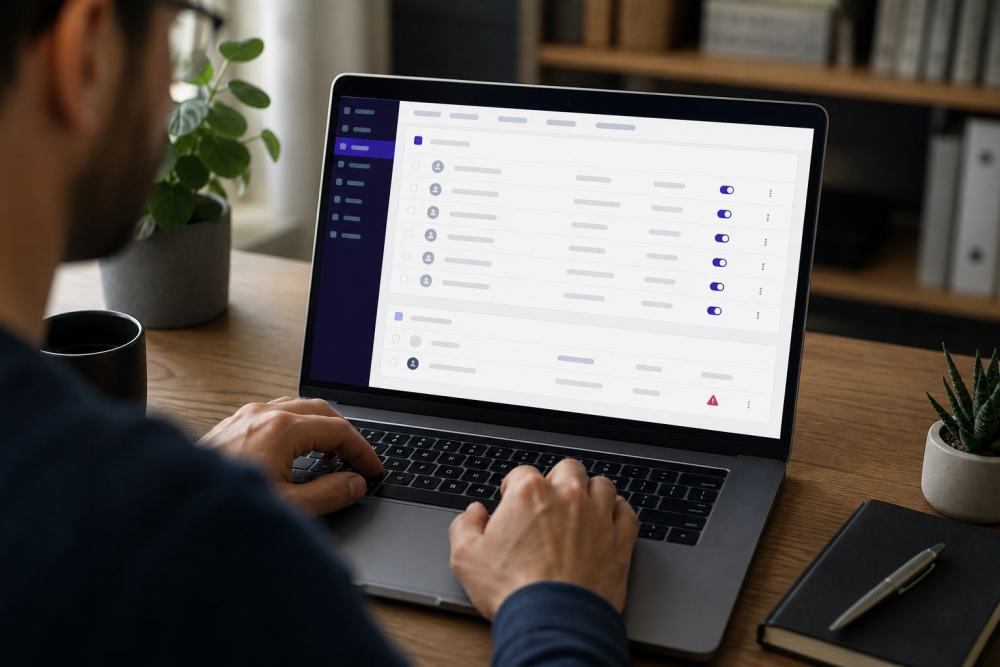
- Review all administrator accounts. Open Users in WordPress and check every account with the Administrator role. Look for usernames that start with bd_ and email addresses you do not recognize.
- Ask for a technical check. The attackers could hide the account they created, so the user list in the dashboard may not show the full picture.
- Scan the website and its database. The scan should cover the themes and plugins, including plugins that load on their own and do not appear in the regular list.
- End all administrator sessions. Each person will need to log in again.
- Change the passwords. Set new passwords for WordPress administrators and the hosting account. Turn on two-factor authentication.
- Review recent changes. Look for users, plugins or files that appeared without explanation between August 6 and August 8.
A username that starts with bd_ is a warning sign. Check beyond that pattern, because the attacker could use a different name or hide the account.
An update will not clean the site
In many WordPress security incidents, a plugin update closes the point of entry. Here, the harmful program came through a banner loaded from the developer’s server.
An attacker with administrator access could also install other files. Those files may remain after you deactivate or delete the BdThemes plugin.
Wait for the developer to confirm that the plugin is safe to use again. You also need a check of the whole site. The update button cannot remove files or accounts that an attacker added earlier.
The site may still look and work as usual
The attacker did not need to break your pages or online store to gain access. The site could load without errors, accept orders and process contact forms.
A hidden account and files left for future access can sit unnoticed. The front of the website cannot tell you whether the site is safe.
When you can reactivate the plugin
Wait for a public update from WordPress.org and BdThemes. A new version number alone does not show that the developer has fixed the problem.
Before you reactivate the plugin, install the version that WordPress.org and BdThemes declare safe and scan the site again. Remove the plugin if you no longer need it.
Ways to lower the risk
- Keep only the plugins you use.
- Choose developers who release updates and respond to security reports.
- Use two-factor authentication for each administrator account.
- Include user and plugin reviews in your maintenance routine.
- Include scans and monitoring in a WordPress maintenance plan.
The BdThemes incident also shows a less visible risk. A plugin may bring content from another server into your dashboard. The developer must check that content before displaying it. If attackers gain access to the developer’s server, they may reach customer websites through the same connection.
Need help checking your site?
You do not need to search through server files or the database on your own. Haipeweb can check the users, plugins and changes left on the server. If we find a problem, we explain what happened and what needs to be removed.
Technical source: the Wordfence report published on August 8, 2026.
Frequently asked questions
I did not log in during the incident. Is my site still at risk?
The attack started when an administrator opened the dashboard. If no one logged in while the harmful content was active, the program could not use a signed-in account. The exact period can be hard to confirm, especially if several people have access. Have the site checked if you use one of the affected plugins.
I found a username that starts with bd_. What should I do?
Deactivate the affected plugin and have the website checked. Remove the suspicious account, but do not stop there. The attacker may have installed files that provide another way into the site.
No account starts with bd_. Does that mean the site is clean?
The user list cannot confirm that on its own. The account may use a different name or the attacker may have hidden it. A server and database scan will provide a more reliable answer.
Should I delete the plugin or leave it deactivated?
Deactivate it now. If a specialist plans to investigate, leave it installed until you receive instructions. After the check, you can delete it or install the version that WordPress.org and BdThemes declare safe.
Can a free scan confirm that no one accessed my site?
The scanner can show which plugins you use and flag known vulnerabilities. To find anything left by this attack, someone must also check the user accounts, server files and database.